
Start a Pittsylvania County Property Search With One Stable Key
The practical route runs from address to parcel to assessor owner to recorded deed. WebPAAS Public Access is the county's central interface. It has separate Parcels and Deeds areas plus Download and Forms sections. The county GIS portal serves as the visual companion. Start with a situs address when you have one. If the street name or place label is uncertain, find the parcel on the map. Copy its county ID from there. The deed index then supplies the recorded instrument and party names.
A property search can also start with a person's name. A name alone, however, may match more than one parcel or legal entity. Sort out the right record with the land description. Use the mailing address, parcel ID, and deed date too. The county pages do not spell out the exact WebPAAS search-field labels or every required field. Check the live form rather than assuming a hidden option.
- Enter the street address or parcel ID in the WebPAAS Parcels area; if it does not return a result, use the county ArcGIS portal to locate the parcel visually.
- Write down the parcel ID, legal description, situs address, mailing address, and assessment year shown on the parcel card.
- Take the parcel key or party names to WebPAAS Deeds or the Virginia secure remote land-record service and identify the latest recorded instrument.
- Use the Treasurer's real-estate tax page for bills and payment status, and use GIS only for map and service-layer context.
- If an image or older year is missing online, ask the clerk what counter, written-request, or historic-record route applies.
WebPAAS Has Separate Parcel and Deed Views
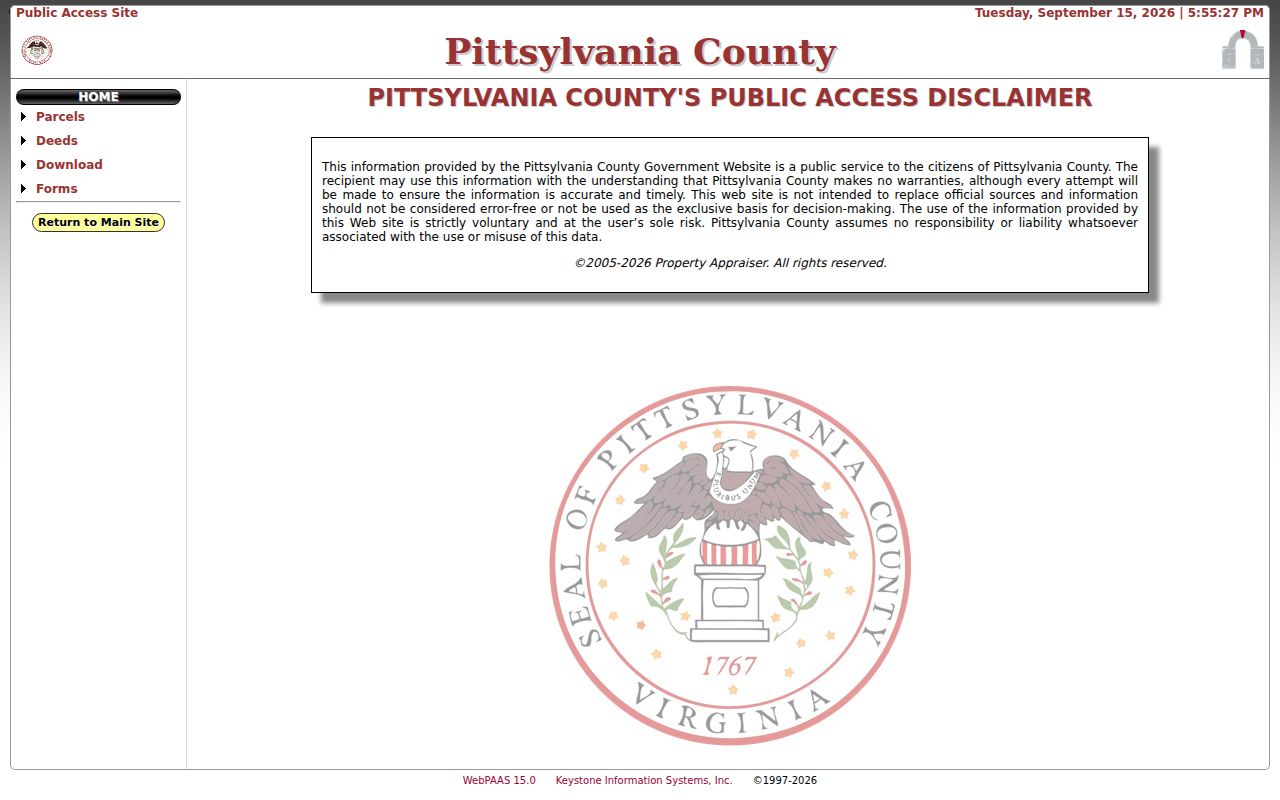
The official WebPAAS landing page shows four routes: Parcels, Deeds, Download, and Forms. The parcel area belongs to the Commissioner of the Revenue, while deeds are clerk-held records. The public pages do not confirm exact search-field labels. They also omit mandatory entries, dropdown choices, and the online-image cutoff. Treat those as live-interface details. Confirm them with the office when a search depends on them.
The landing page displays those four main routes. Open WebPAAS Public Access and pick the parcel or deed area that fits your question. A browser notice warns the form may rely on legacy technology. If it will not load, try a supported browser or contact the custodian rather than inventing a search syntax.
Collect the record keys from the parcel result first. Then use the deed view to confirm the legal transfer information.
Read the Deed Fields as Search Clues
The WebPAAS deed-detail screen exposes a broad field inventory. It lists Book/Page, Recorded, Instrument, Date Filed, Date of Instrument, cancelled or foreclosed status and date, Microfilm Reel/Frame, Additional Reference, Instrument Type, Subdivision, Prepared By, Short Description, Updated, Historical Only, Right of Ownership, Merged to Deeds, Time Filed, and Revenue Stamps. Transfer Tax rounds out the inventory. These fields narrow a result and preserve the trail for a later clerk request.
They do not replace reading the deed itself. A transfer-tax or revenue-stamp field may point to a recorded transaction. Still, a family transfer, nominal consideration, or a trust change is not automatically a comparable sale. Neither is another non-market instrument. A historic-only or merged-to-deeds flag also matters. An older record may have moved through a system conversion.
The county's WebPAAS deed detail view displays these labels, but no populated sample row or party-search options appear on the public page.
What a Pittsylvania County Parcel Result Can Show
The county's assessment-card inventory includes a field for owner of record, mailing and situs addresses, county parcel ID, land value, improvement value, total assessed value, assessment year, legal description, subdivision, tax district, and possible exemption or land-use indicators. A card may also show sale or transfer information, a map sketch, or building details. This inventory describes expected fields. It does not claim every field appears on every live card.
| Owner of Record | Name the current assessment roll associates with the parcel; confirm recent changes against the deed. |
|---|---|
| Situs / Mailing Address | Property location and separate destination for tax notices. |
| Parcel Number | County ID used to connect the assessment, map, and recorded-document reference. |
| Land / Improvements / Total | Assessment components and the applicable roll year. |
| Legal Description | Subdivision, lot, or tract wording that links the card to a deed or plat. |
| Transfer Information | Possible sale date or consideration detail, if displayed; verify in the instrument. |
The assessment card is not a title certificate. It is not a boundary survey either. And it is not proof that the named owner is current today. A card may show a mailing address outside the parcel. An owner's name does not reveal who occupies the property. Treat the tax roll as a lead. A transfer may have just taken place. The Circuit Court Clerk's recorded deed is the better check then.
Address, Name, and Parcel Searches Solve Different Problems
Use the key least likely to shift. A road address is easy for a first pass, but older deeds may use a community name or an earlier street description. An owner name can list multiple holdings. It does need identity checks, though. The parcel ID is the strongest link across WebPAAS, GIS, and clerk documents. The county's public pages do not specify its exact punctuation or format.
| Search key | Best use | Local limit |
|---|---|---|
| Street address | Find one known property in WebPAAS or GIS. | Road-name spellings and town ZIPs may not match the jurisdiction. |
| Owner name | Find parcels linked to a person or entity. | Trustees, estates, LLCs, initials, and shared names need comparison. |
| Parcel ID | Join map, assessment card, and deed references. | Exact syntax must be copied from the live card or county source. |
| Legal description | Trace rural tracts, lots, and older transfers. | Metes-and-bounds wording may not resemble a modern street address. |
Keep Owner, Mailing, and Situs Fields Apart
Three fields trip up most searchers. Situs tells you where the parcel sits. The mailing address is different; the assessor sends notices there, and it can be a post office box, a trustee's office, or a spot far outside the county. The owner field is the assessor's entry. It never proves who lives on site. An LLC often appears under its exact legal entity name, and Virginia's SCC Clerk's Information System can reveal a registered agent or filing history, though that entity result does not establish land ownership by itself.
Trusts add a wrinkle. The index may list the grantor or trustee rather than the trust's everyday name. Estate parcels point to an executor, an administrator, or "Estate of" wording. A life estate can split interest with a remainder. Same-name results deserve a full check of deed parties, legal description, address, and date before two results become one owner. The SCC's business search is a supporting lead when a parcel record names a company, not a substitute for the deed.
Town Names and Rural Addresses Need a Map Check
Pittsylvania is mostly rural. It holds three compact towns. Chatham uses ZIP 24531, Gretna 24557, and Hurt 24563, but postal geography is not a town boundary. A Gretna address may sit outside town limits. County roads sometimes carry a town post-office name too. Check the parcel polygon in GIS, then carry the county ID back to WebPAAS.
Older records complicate things. Chatham can appear as Competition or a courthouse-area place name, and Gretna was once called Elba. Danville is an independent city, so its addresses do not automatically belong to Pittsylvania's record system. When an address search fails, try the road name, a nearby map location, a parcel reference, or a historic town name rather than widening into unrelated personal-data searches.
When the Online Result Is Not Enough
Virginia's secure remote land-record service offers another route into circuit land records. Local clerk registration or terms may apply. In Chatham, the courthouse research counter serves land-record researchers. Entry is through the Bank Street complex entrance. The deed room welcomes visitors on weekdays from 8:30 a.m. to 4:30 p.m. Staff can retrieve records for you. They cannot run a title search or hand out legal advice.
When you request a copy, have the book and page, instrument, parties, approximate date, or case number ready. Copies run $0.50 per page, and certification adds $2 per instrument. The Historic Records Division holds older scans and archival material. Its staff will not research or copy them for you. Ask about fees and availability before you plan a trip.
WebPAAS cannot display some documents. The Virginia Secure Remote Access to Land Records portal and the county clerk's office are the dependable fallbacks for those.
Choose the Pittsylvania Search Key That Fits the Record
A search key is just a way in. Match the key to the record you hold. For a known house, start with the address and open the map when the result looks ambiguous. For a landowner, test spelling variants and entity names. For a chain of title, use the parcel and legal description as checks on every name match. WebPAAS keeps parcel and deed functions separate, and the GIS portal adds spatial context without replacing the clerk's index.
| Search Key | Best For | Where It Works | Watch Out |
|---|---|---|---|
| Address | One known parcel and map location | WebPAAS Parcels and GIS | Rural place names and ZIP codes do not define town limits. |
| Owner name | Possible holdings tied to a person or entity | WebPAAS Parcels and clerk grantor/grantee index | Trusts, estates, LLCs, and common names require deed checks. |
| Parcel ID | Join assessment, map, and deed | WebPAAS, GIS, and recorded document | Copy the exact county format; it is not documented in public text. |
Not a title search. A Pittsylvania County property search gathers public leads but cannot guarantee clear title, reveal every unrecorded interest, or settle a boundary. A title company or Virginia attorney can perform the professional review required for a transaction.